> ## Documentation Index
> Fetch the complete documentation index at: https://docs.quick.bot/llms.txt
> Use this file to discover all available pages before exploring further.
# Profile
Manage your personal account information and preferences.
Your account profile contains your basic information that's displayed across the QuickBot platform.
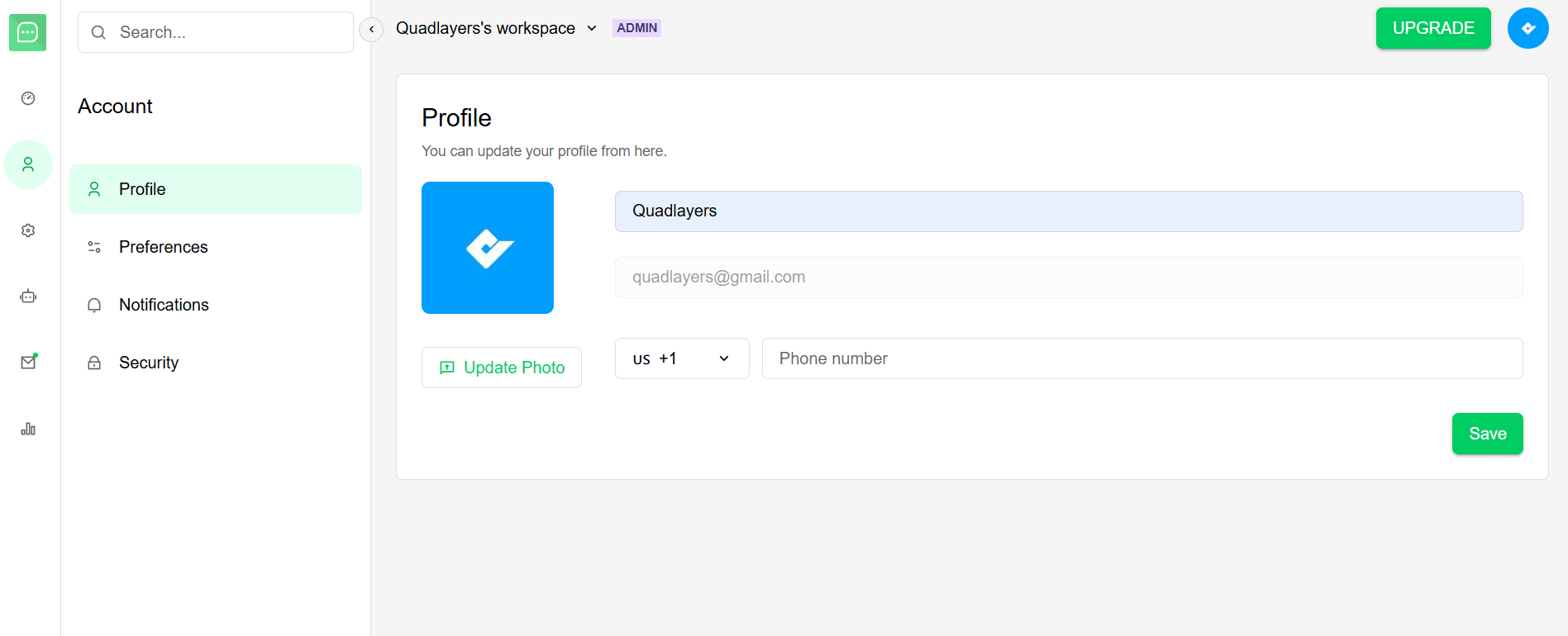 ### Your Name
You can update your display name at any time. This name will be shown in:
* Workspace member lists.
* Shared bot collaborations.
* Account notifications.
### Email Address
Your email address is used for:
* Account authentication.
* Important notifications.
* Password reset requests.
* Workspace invitations.
If you update your email, make sure it's an active address you can access, since all
account-related emails will be sent there.
### Profile Picture
Upload a custom profile picture to personalize your account:
**Supported formats:** PNG, JPG, JPEG, GIF
### Phone Number
Add a phone number for account recovery and two-factor authentication (2FA).
### Your Name
You can update your display name at any time. This name will be shown in:
* Workspace member lists.
* Shared bot collaborations.
* Account notifications.
### Email Address
Your email address is used for:
* Account authentication.
* Important notifications.
* Password reset requests.
* Workspace invitations.
If you update your email, make sure it's an active address you can access, since all
account-related emails will be sent there.
### Profile Picture
Upload a custom profile picture to personalize your account:
**Supported formats:** PNG, JPG, JPEG, GIF
### Phone Number
Add a phone number for account recovery and two-factor authentication (2FA).