> ## Documentation Index
> Fetch the complete documentation index at: https://docs.quick.bot/llms.txt
> Use this file to discover all available pages before exploring further.
# Billing
Manage your workspace subscription, monitor usage, and handle billing information. Track your
current plan limits, view invoices, and upgrade or modify your subscription as your needs grow.
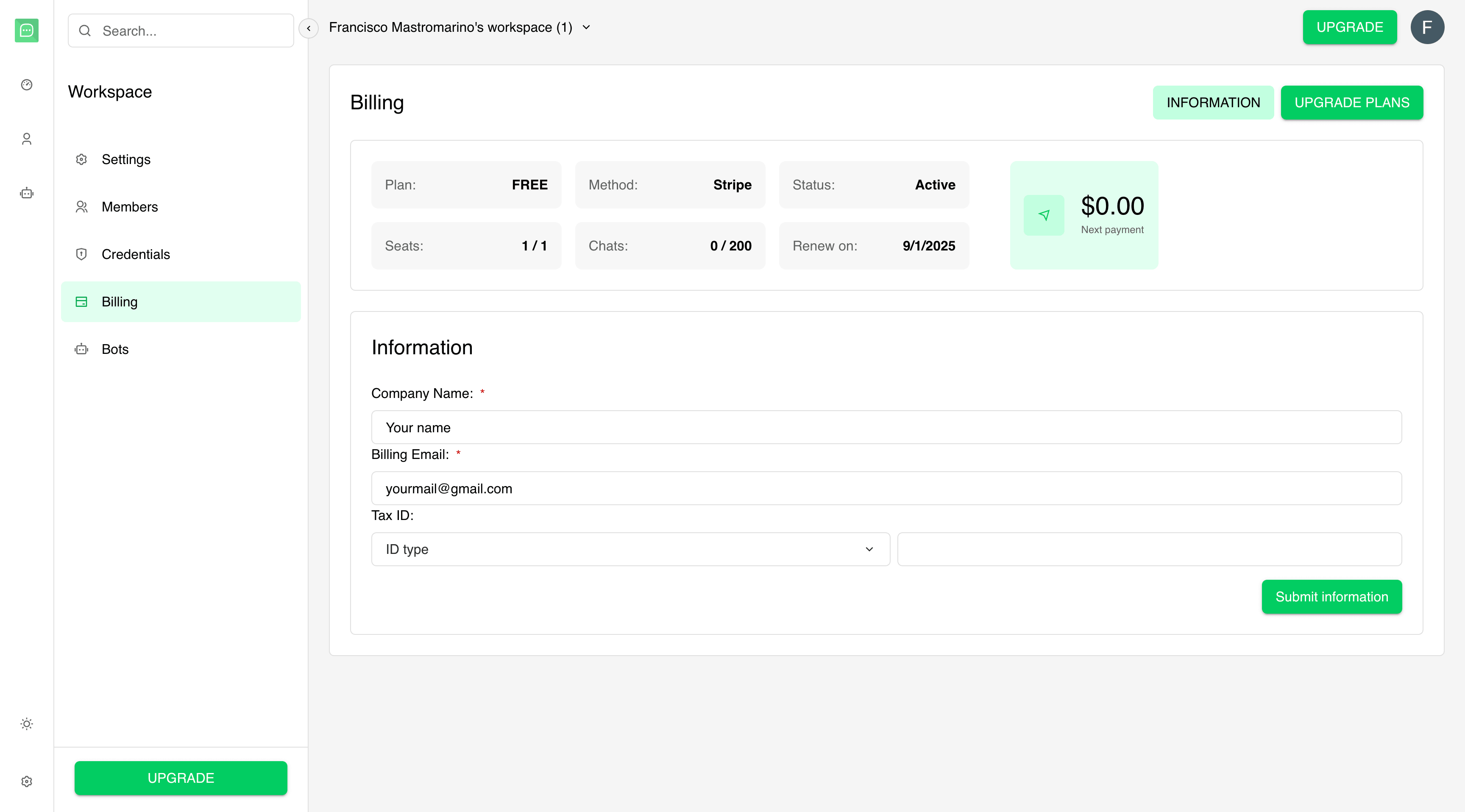 ## Billing Overview
The billing header displays key information about your current subscription:
* **Plan**: Your current plan (Free, Starter, Grow, Scale).
* **Method**: Payment method (Currently Stripe for all transactions).
* **Status**: Subscription status (Active, Canceled, Past Due).
* **Seats**: Current members vs. plan limit (e.g., "3 / 10").
* **Conversations**: Monthly chat consumption vs. limit.
* **Renewal/Cancellation**: Next payment or cancellation date.
* **Next Payment**: Cost for the upcoming billing cycle.
## Information
* **Company Name**: add your company name for billing purposes.
* **Billing email**: add a billing email to receive invoices and payment notifications.
* **Tax ID**: add your tax ID for tax purposes (if applicable).
* **ID Type**: select the type of tax ID depending on your location.
Monitor your usage regularly and upgrade proactively to avoid service interruptions. The Grow plan
offers the best balance of features and value for most growing teams.
## Billing Overview
The billing header displays key information about your current subscription:
* **Plan**: Your current plan (Free, Starter, Grow, Scale).
* **Method**: Payment method (Currently Stripe for all transactions).
* **Status**: Subscription status (Active, Canceled, Past Due).
* **Seats**: Current members vs. plan limit (e.g., "3 / 10").
* **Conversations**: Monthly chat consumption vs. limit.
* **Renewal/Cancellation**: Next payment or cancellation date.
* **Next Payment**: Cost for the upcoming billing cycle.
## Information
* **Company Name**: add your company name for billing purposes.
* **Billing email**: add a billing email to receive invoices and payment notifications.
* **Tax ID**: add your tax ID for tax purposes (if applicable).
* **ID Type**: select the type of tax ID depending on your location.
Monitor your usage regularly and upgrade proactively to avoid service interruptions. The Grow plan
offers the best balance of features and value for most growing teams.