> ## Documentation Index
> Fetch the complete documentation index at: https://docs.quick.bot/llms.txt
> Use this file to discover all available pages before exploring further.
# Video
export const YoutubeVideo = ({id}) =>
;
The Video agent block allows you to display videos from multiple sources to your users. It supports
direct video files (MP4) and automatic embedding from popular video platforms like YouTube, Vimeo,
TikTok, and more.
Paste any supported video URL. The system automatically detects the video service and configures
proper embedding.
## Supported Video Services
* **YouTube**: Regular videos and Shorts (automatic URL parsing and iframe embedding)
* **Vimeo**: Professional video hosting with clean player interface
* **TikTok**: Social media videos with custom embed player (300px height)
* **Gumlet**: Video hosting and optimization platform
* **OneDrive**: Microsoft cloud-hosted videos
* **MP4**: Direct video file URLs with HTML5 video player
* **Customizable Controls**: Toggle video controls visibility
* **Variable Support**: Use variables for dynamic video URLs
## Video Configuration
* **Controls Display**: Show or hide video playback controls for direct video files
* **Aspect Ratio**: Configurable video dimensions and sizing
* **Max Width**: Control maximum display width for optimal viewing
* **Auto-sizing**: Automatic size suggestions based on video type
* Use variables in video URLs for dynamic content
## Unsupported Content
* **YouTube Clips**: Not supported due to embed URL restrictions
* **Age-restricted videos**: May not embed properly due to platform restrictions
If a video service is not supported, use the [Embed block](/builder/editor/blocks/agent/embed) instead.
For video services not in the supported list:
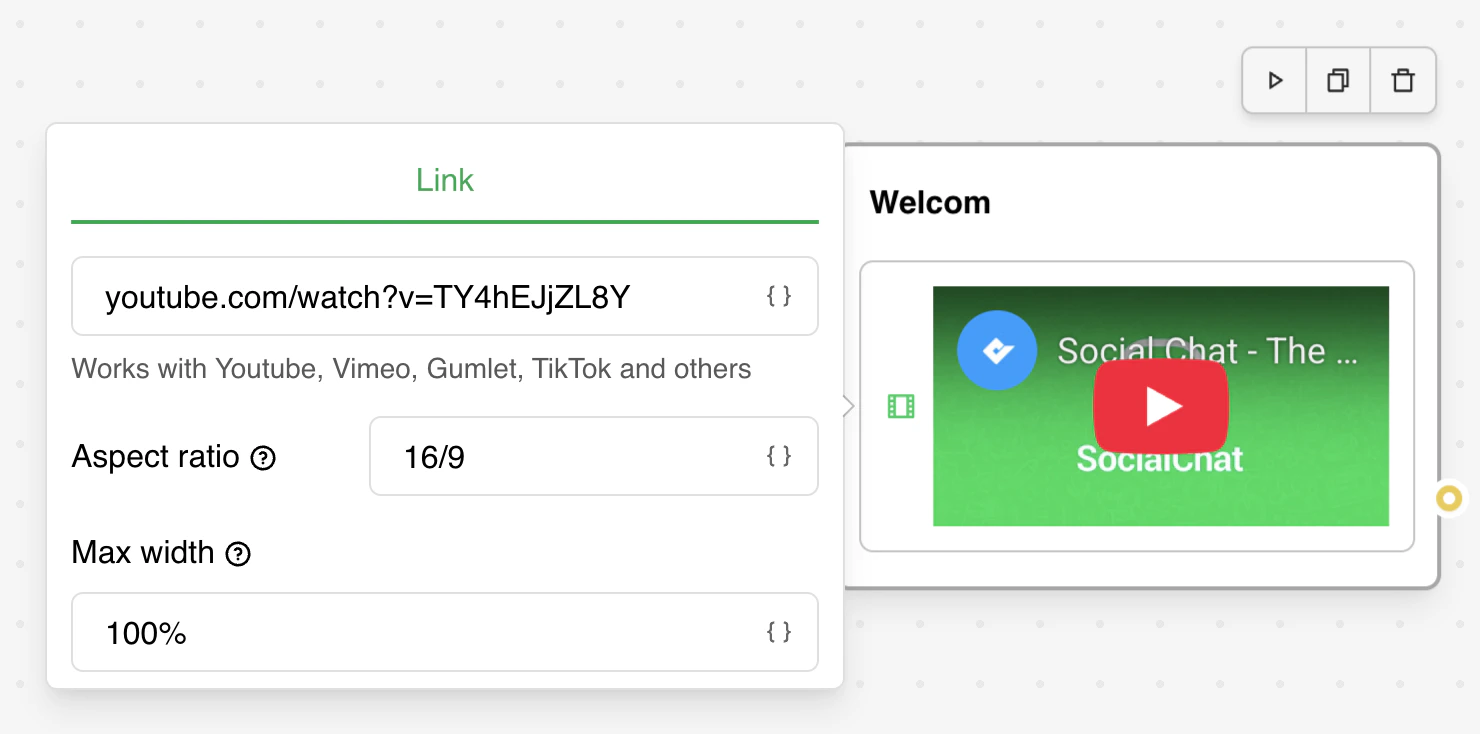 Paste any supported video URL. The system automatically detects the video service and configures
proper embedding.
## Supported Video Services
* **YouTube**: Regular videos and Shorts (automatic URL parsing and iframe embedding)
* **Vimeo**: Professional video hosting with clean player interface
* **TikTok**: Social media videos with custom embed player (300px height)
* **Gumlet**: Video hosting and optimization platform
* **OneDrive**: Microsoft cloud-hosted videos
* **MP4**: Direct video file URLs with HTML5 video player
* **Customizable Controls**: Toggle video controls visibility
* **Variable Support**: Use variables for dynamic video URLs
## Video Configuration
* **Controls Display**: Show or hide video playback controls for direct video files
* **Aspect Ratio**: Configurable video dimensions and sizing
* **Max Width**: Control maximum display width for optimal viewing
* **Auto-sizing**: Automatic size suggestions based on video type
* Use variables in video URLs for dynamic content
## Unsupported Content
* **YouTube Clips**: Not supported due to embed URL restrictions
* **Age-restricted videos**: May not embed properly due to platform restrictions
Paste any supported video URL. The system automatically detects the video service and configures
proper embedding.
## Supported Video Services
* **YouTube**: Regular videos and Shorts (automatic URL parsing and iframe embedding)
* **Vimeo**: Professional video hosting with clean player interface
* **TikTok**: Social media videos with custom embed player (300px height)
* **Gumlet**: Video hosting and optimization platform
* **OneDrive**: Microsoft cloud-hosted videos
* **MP4**: Direct video file URLs with HTML5 video player
* **Customizable Controls**: Toggle video controls visibility
* **Variable Support**: Use variables for dynamic video URLs
## Video Configuration
* **Controls Display**: Show or hide video playback controls for direct video files
* **Aspect Ratio**: Configurable video dimensions and sizing
* **Max Width**: Control maximum display width for optimal viewing
* **Auto-sizing**: Automatic size suggestions based on video type
* Use variables in video URLs for dynamic content
## Unsupported Content
* **YouTube Clips**: Not supported due to embed URL restrictions
* **Age-restricted videos**: May not embed properly due to platform restrictions