> ## Documentation Index
> Fetch the complete documentation index at: https://docs.quick.bot/llms.txt
> Use this file to discover all available pages before exploring further.
# OpenAI
export const YoutubeVideo = ({id}) =>
;
The OpenAI integration block provides access to OpenAI's AI models and services. This block supports
both OpenAI's official API and compatible providers with custom configurations.
## Credentials Setup
Before using any OpenAI functionality, you must configure your API credentials:
1. **OpenAI Account**: Select or create OpenAI API credentials in the block settings.
2. **Get your API key** — if you don't have one yet:
1. Create an account or sign in at [platform.openai.com](https://platform.openai.com).
2. Go to **Dashboard → API keys** (or visit the
[API keys page](https://platform.openai.com/account/api-keys) directly).
3. Click **Create new secret key**, give it a name, and copy it immediately — it won't be shown
again.
4. Paste the key into the **API key** field in the credentials form.
API keys are securely encrypted and stored. Never share them or expose them in client-side
code.
3. **Custom Provider Settings** (Optional)
* **Base URL**: Override the default OpenAI API endpoint (`https://api.openai.com/v1`)
* **API Version**: Specify API version for Azure OpenAI or other compatible services
* Supports OpenAI-compatible providers like Azure OpenAI, LocalAI, or custom implementations
## Configurations
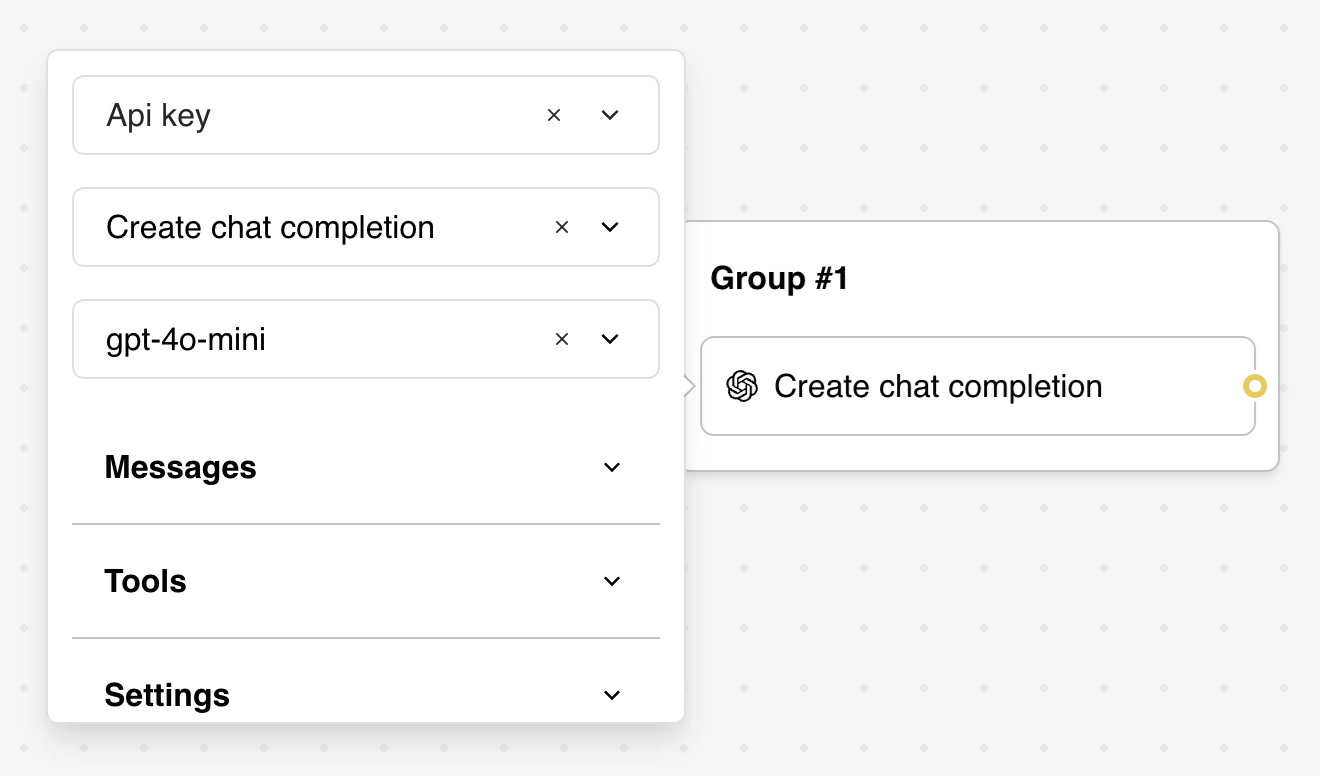
### Actions
Select a task for the bot to perform.
* **Create chat completion**: Generate conversational responses using GPT models.
Currently, only one action is supported, but this may change in the future.
### Models
Choose one of the avaiable models
If you're not sure where to start, use gpt-5.4, for complex reasoning and coding. If you're
optimizing for latency and cost, choose a smaller variant like gpt-5.4-mini or gpt-5.4-nano.
### Message
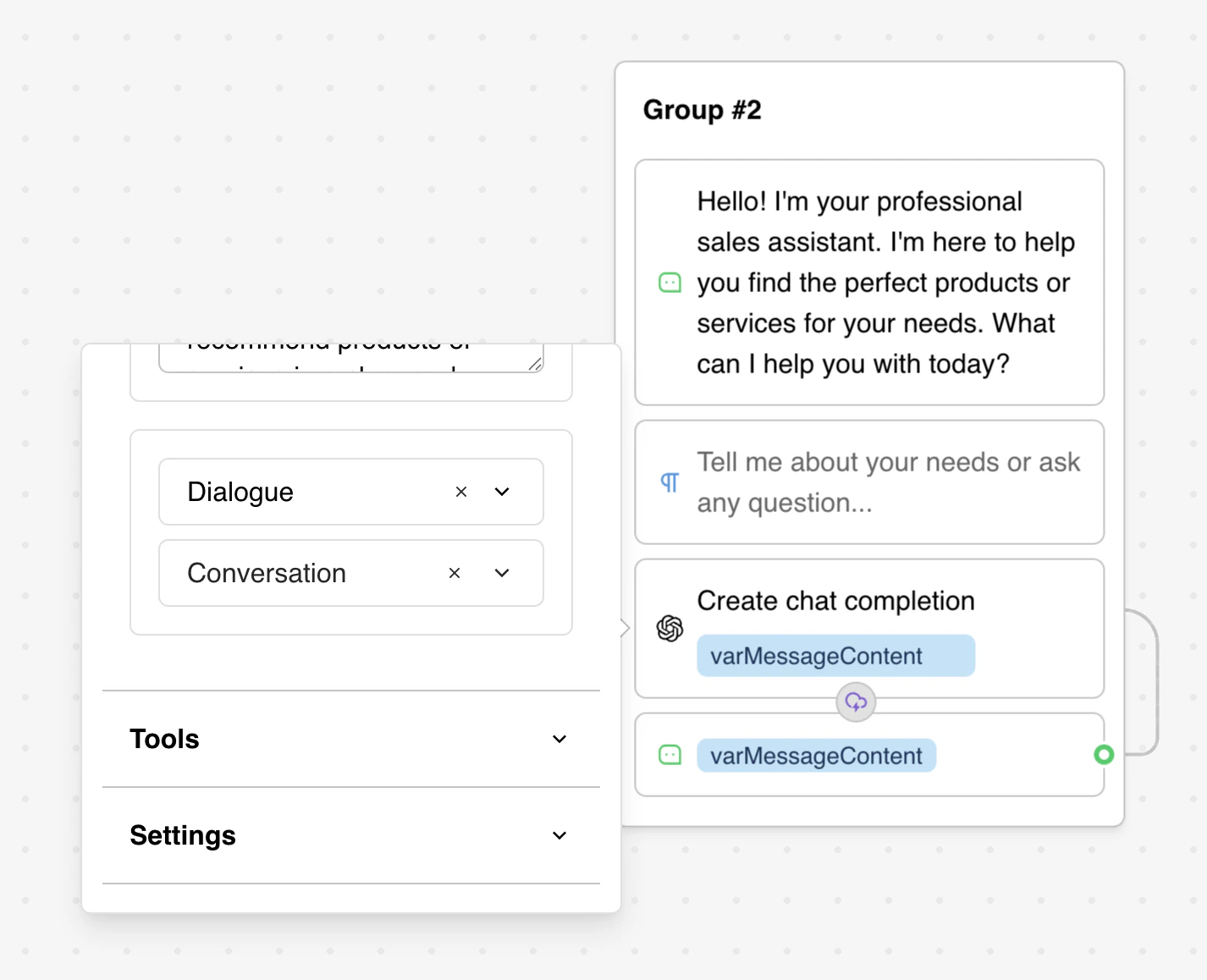
Configure the conversation context with message types:
* **System**: Define AI behavior and instructions
* **User**: Represent user input and queries
* **Assistant**: Include AI responses for context
* **Dialogue**: Reference conversation history variables
You can add multiple message types here, depending on how complex you want your bot to be.
We recommend adding a system message in this format for the best results.
```
### Instructions
You are a friendly assistant collecting names from users through natural conversation.
Your goal is to collect the following information:
1. **Full Name** - The user's complete name
### CRITICAL: Review the conversation history to see what information has already been provided!
### Guidelines:
- Be conversational and friendly
- If information is missing, politely ask ONLY for the missing fields
- Be helpful and guide the user naturally
### Examples:
User: "My name is John Doe"
Assistant: "Great to meet you, John!"
Always be polite and make the user feel comfortable sharing their information.
```
For dialogue type,we recommend using the **conversation** system variable, which is automatically
available.
### Tools
Define tools that the AI can use to perform actions or retrieve information. Each tool works like a
programming function, with configurable parameters and custom code that is executed when the tool is
called.
This feature requires a basic understanding of programming. We recommend using templates to see
how this feature works in practice.
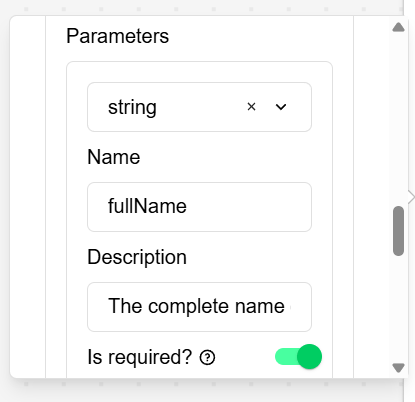
The parameter required for this are:
* **Name**: the name of the function.
* **Description**: a description of what this function do.
* **Parameters**: Define the parameters required by this function. You can add as many parameters as
needed. For each parameter, specify:
* Data type (string, number, boolean, or enum).
* Name.
* Description.
* Whether it is required. If not, the function will accept an empty value for that parameter.
Inside the code snippet, write your custom code using the parameters defined above. It should return
a value.
```javascript theme={null}
// Return the captured data as a structured object
return JSON.stringify({
fullName,
email,
address,
capturedAt: new Date().toISOString(),
})
```
### Settings
Adjust the core parameters used to control the AI model’s output.
* **Temperature**: Controls the randomness of the AI responses. Lower values make the output more
focused and deterministic, while higher values increase creativity and variability.
* **Max Tokens**: Tokens are the building blocks of text that OpenAI models process. They can be as
short as a single character or as long as a full word, depending on the language and context.
Spaces, punctuation, and partial words all contribute to token counts.
### Response
Define how the AI's response should be saved into variables so it can be used later. You can store:
* **Message content**: the model's text reply
* **Token usage**: token usage count
* **Tool results**: the output of the last tool that ran:
 ### Actions
Select a task for the bot to perform.
* **Create chat completion**: Generate conversational responses using GPT models.
### Actions
Select a task for the bot to perform.
* **Create chat completion**: Generate conversational responses using GPT models.
 ### Tools
Define tools that the AI can use to perform actions or retrieve information. Each tool works like a
programming function, with configurable parameters and custom code that is executed when the tool is
called.
### Tools
Define tools that the AI can use to perform actions or retrieve information. Each tool works like a
programming function, with configurable parameters and custom code that is executed when the tool is
called.
 Inside the code snippet, write your custom code using the parameters defined above. It should return
a value.
```javascript theme={null}
// Return the captured data as a structured object
return JSON.stringify({
fullName,
email,
address,
capturedAt: new Date().toISOString(),
})
```
### Settings
Adjust the core parameters used to control the AI model’s output.
* **Temperature**: Controls the randomness of the AI responses. Lower values make the output more
focused and deterministic, while higher values increase creativity and variability.
* **Max Tokens**: Tokens are the building blocks of text that OpenAI models process. They can be as
short as a single character or as long as a full word, depending on the language and context.
Spaces, punctuation, and partial words all contribute to token counts.
### Response
Define how the AI's response should be saved into variables so it can be used later. You can store:
* **Message content**: the model's text reply
* **Token usage**: token usage count
* **Tool results**: the output of the last tool that ran:
Inside the code snippet, write your custom code using the parameters defined above. It should return
a value.
```javascript theme={null}
// Return the captured data as a structured object
return JSON.stringify({
fullName,
email,
address,
capturedAt: new Date().toISOString(),
})
```
### Settings
Adjust the core parameters used to control the AI model’s output.
* **Temperature**: Controls the randomness of the AI responses. Lower values make the output more
focused and deterministic, while higher values increase creativity and variability.
* **Max Tokens**: Tokens are the building blocks of text that OpenAI models process. They can be as
short as a single character or as long as a full word, depending on the language and context.
Spaces, punctuation, and partial words all contribute to token counts.
### Response
Define how the AI's response should be saved into variables so it can be used later. You can store:
* **Message content**: the model's text reply
* **Token usage**: token usage count
* **Tool results**: the output of the last tool that ran: