> ## Documentation Index
> Fetch the complete documentation index at: https://docs.quick.bot/llms.txt
> Use this file to discover all available pages before exploring further.
# AB Test
The AB Test block allows you to split the path in 2 randomly. It's a great way to test the
performance of 2 different paths and optimize your bot's conversion rates.
 ## Configuration Options
### Traffic Split Percentage
* **A Path Percent**: Set the percentage of users (0-100%) who will follow path A
* **B Path Percent**: Remaining users automatically follow path B
* **Variable Support**: The percentage field supports variables for dynamic testing
* **Validation**: Percentage must be between 0 and 100
## Features
### Random Distribution
* Users are randomly assigned to path A or B based on the configured percentage
* Distribution is calculated per user session to ensure consistent experience
* Perfect for A/B testing different conversation flows, messages, or features
### Performance Tracking
* Monitor conversion rates for each path through your analytics
* Compare user engagement between different approaches
* Make data-driven decisions about your bot's flow
## Advanced Features
### Dynamic Percentage Control
Use variables to control the A/B split percentage programmatically:
* Set percentage based on user characteristics
* Adjust split ratios based on time of day or other conditions
* Implement gradual rollouts by changing percentage over time
### Multiple Path Testing
This approach allows you to:
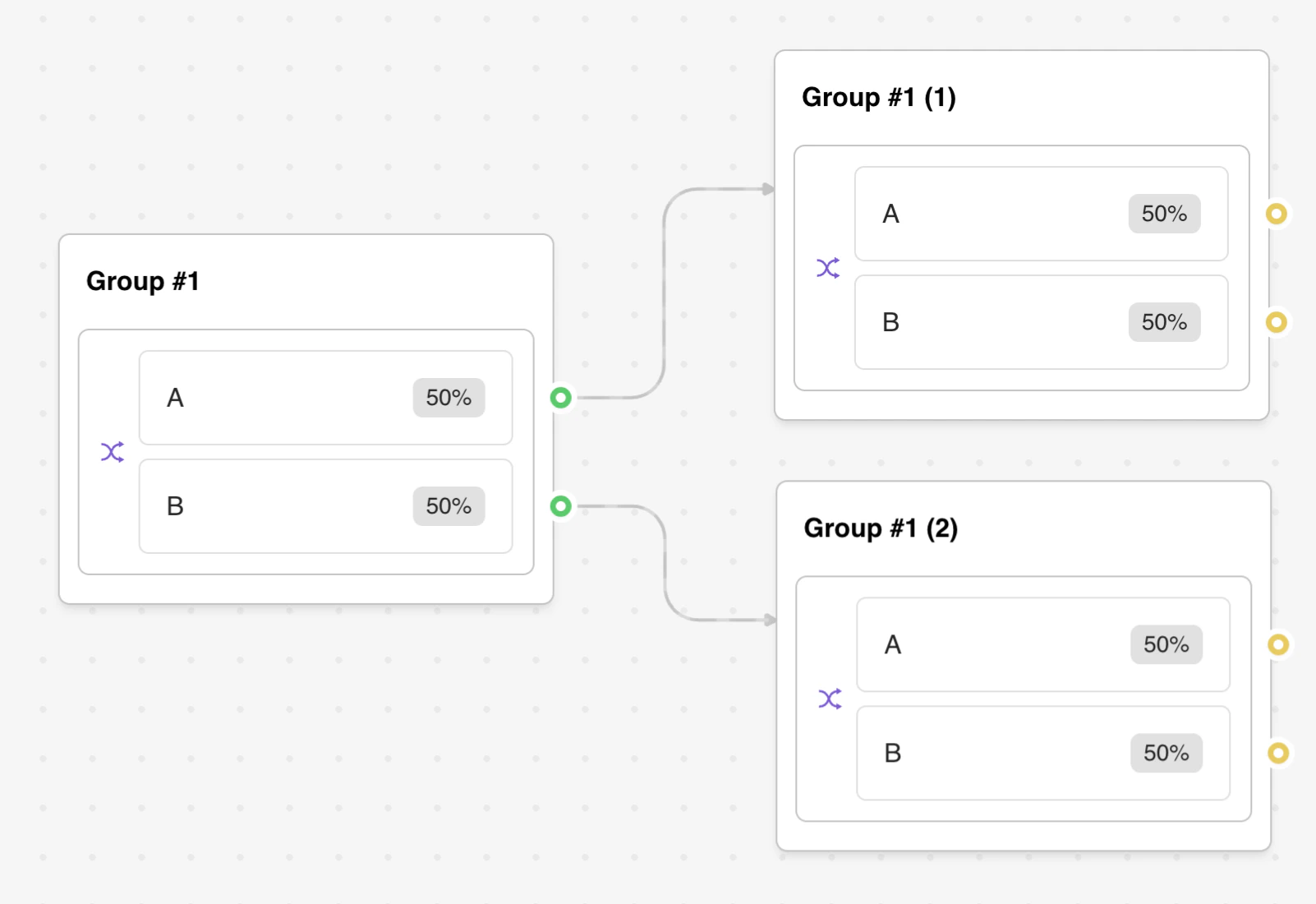
* Test 3 or more different paths simultaneously
* Create nested A/B tests for more granular optimization
* Implement multi-variate testing strategies
## Troubleshooting
### Common Issues
* **Uneven Distribution**: Verify percentage settings add up correctly
* **Variable Conflicts**: Ensure percentage variables contain valid numeric values
* **Path Isolation**: Make sure both paths are completely independent
### Testing Your Setup
* Use preview mode to verify both paths work correctly
* Test with different percentage values to confirm distribution
* Monitor initial results to ensure proper randomization
### Integration Problems
* Check that downstream blocks handle both paths appropriately
* Verify variable scoping doesn't cause conflicts between paths
* Ensure error handling works consistently on both paths
## Configuration Options
### Traffic Split Percentage
* **A Path Percent**: Set the percentage of users (0-100%) who will follow path A
* **B Path Percent**: Remaining users automatically follow path B
* **Variable Support**: The percentage field supports variables for dynamic testing
* **Validation**: Percentage must be between 0 and 100
## Features
### Random Distribution
* Users are randomly assigned to path A or B based on the configured percentage
* Distribution is calculated per user session to ensure consistent experience
* Perfect for A/B testing different conversation flows, messages, or features
### Performance Tracking
* Monitor conversion rates for each path through your analytics
* Compare user engagement between different approaches
* Make data-driven decisions about your bot's flow
## Advanced Features
### Dynamic Percentage Control
Use variables to control the A/B split percentage programmatically:
* Set percentage based on user characteristics
* Adjust split ratios based on time of day or other conditions
* Implement gradual rollouts by changing percentage over time
### Multiple Path Testing
This approach allows you to:
* Test 3 or more different paths simultaneously
* Create nested A/B tests for more granular optimization
* Implement multi-variate testing strategies
## Troubleshooting
### Common Issues
* **Uneven Distribution**: Verify percentage settings add up correctly
* **Variable Conflicts**: Ensure percentage variables contain valid numeric values
* **Path Isolation**: Make sure both paths are completely independent
### Testing Your Setup
* Use preview mode to verify both paths work correctly
* Test with different percentage values to confirm distribution
* Monitor initial results to ensure proper randomization
### Integration Problems
* Check that downstream blocks handle both paths appropriately
* Verify variable scoping doesn't cause conflicts between paths
* Ensure error handling works consistently on both paths