> ## Documentation Index
> Fetch the complete documentation index at: https://docs.quick.bot/llms.txt
> Use this file to discover all available pages before exploring further.
# Bot
The bot link logic block allows you to transition into another bot flow, helping keep your flows
modular and enabling reusability across multiple conversation paths.
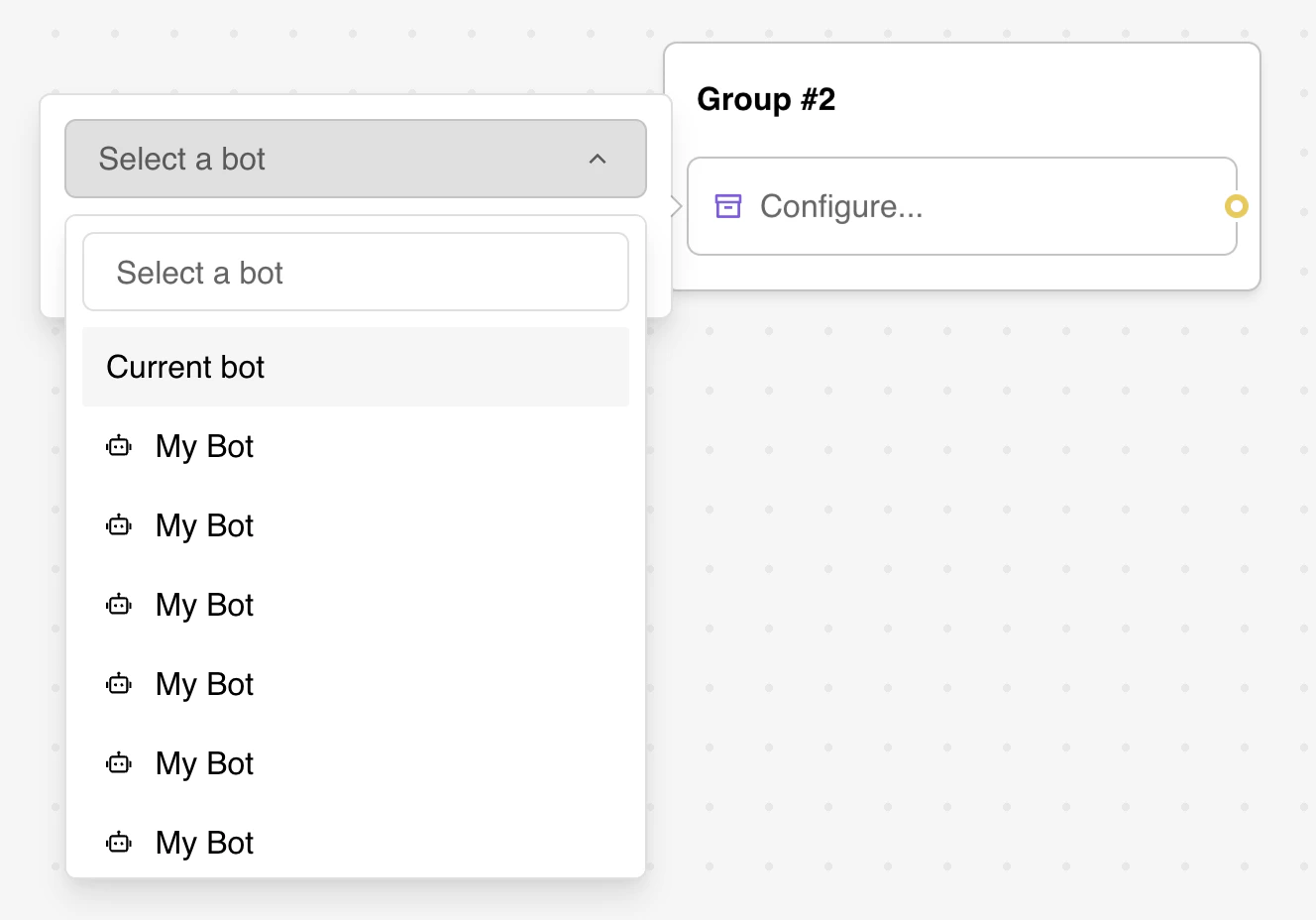 ## Configuration Options
### Bot Selection
* **Target Bot**: Choose which bot to link to from your workspace
* **Current Bot**: Option to link to groups within the same bot
* **Group Selection**: Select specific starting group in the target bot
* **Workspace Scope**: Only bots within the current workspace are available
### Merge Settings
* **Merge Results**: Combine answers from linked bot with current bot's results
* **Variable Inheritance**: Automatic sharing of variable values between bots
* **Session Continuity**: Maintain user session across bot transitions
## Features
### Automatic Variable Sharing
Variables are automatically shared between the current and linked bots:
* **Variable Matching**: Variables with identical names are pre-filled automatically
* **Data Persistence**: User data collected in the first bot is available in the linked bot
* **Bidirectional Transfer**: Changes in linked bot variables can affect the original bot
Example workflow:
1. First bot collects user's name in `Name` variable
2. Link to second bot that displays personalized greeting using `Name`
3. User sees seamless transition with preserved context
### Result Merging
The merge answers feature provides unified data collection:
* **Consolidated Results**: Combine responses from multiple bots into single results table
* **Third-party Integration**: Send unified data to external applications
* **Analytics Enhancement**: Analyze complete user journey across multiple bot flows
## Advanced Features
### Modular Bot Architecture
* **Reusable Components**: Create specialized bots for common functions
* **Flow Organization**: Keep complex conversations manageable
* **Team Collaboration**: Different team members can work on separate bot modules
### Dynamic Bot Linking
* Use conditional logic to link to different bots based on user responses
* Implement multi-bot workflows for complex use cases
* Create fallback bots for error handling or escalation
### Cross-Bot Analytics
* Track user paths across multiple linked bots
* Measure conversion rates across the entire user journey
* Identify bottlenecks in multi-bot workflows
## Troubleshooting
### Common Configuration Issues
* **Bot Not Found**: Ensure target bot exists and is accessible in workspace
* **Missing Groups**: Verify selected group exists in target bot
* **Permission Errors**: Check workspace permissions for linked bot access
* **Circular Links**: Avoid creating infinite loops between bots
### Variable-Related Problems
* **Missing Variables**: Ensure required variables exist in both bots
* **Type Mismatches**: Verify variable data types are compatible
* **Scope Issues**: Check if variables are properly scoped for sharing
* **Overwritten Values**: Monitor for unintended variable overwrites
### Performance Optimization
* **Loading Delays**: Optimize bot loading times for smoother transitions
* **Memory Usage**: Monitor resource consumption with multiple linked bots
* **Cache Management**: Ensure proper caching of linked bot data
* **Network Issues**: Handle connectivity problems gracefully
### Integration Challenges
* **Results Merging**: Verify merge functionality works as expected
* **Third-party APIs**: Ensure external integrations handle merged data correctly
* **Analytics Tracking**: Confirm user journey tracking across linked bots
* **Export Functions**: Test data export with merged results from multiple bots
## Configuration Options
### Bot Selection
* **Target Bot**: Choose which bot to link to from your workspace
* **Current Bot**: Option to link to groups within the same bot
* **Group Selection**: Select specific starting group in the target bot
* **Workspace Scope**: Only bots within the current workspace are available
### Merge Settings
* **Merge Results**: Combine answers from linked bot with current bot's results
* **Variable Inheritance**: Automatic sharing of variable values between bots
* **Session Continuity**: Maintain user session across bot transitions
## Features
### Automatic Variable Sharing
Variables are automatically shared between the current and linked bots:
* **Variable Matching**: Variables with identical names are pre-filled automatically
* **Data Persistence**: User data collected in the first bot is available in the linked bot
* **Bidirectional Transfer**: Changes in linked bot variables can affect the original bot
Example workflow:
1. First bot collects user's name in `Name` variable
2. Link to second bot that displays personalized greeting using `Name`
3. User sees seamless transition with preserved context
### Result Merging
The merge answers feature provides unified data collection:
* **Consolidated Results**: Combine responses from multiple bots into single results table
* **Third-party Integration**: Send unified data to external applications
* **Analytics Enhancement**: Analyze complete user journey across multiple bot flows
## Advanced Features
### Modular Bot Architecture
* **Reusable Components**: Create specialized bots for common functions
* **Flow Organization**: Keep complex conversations manageable
* **Team Collaboration**: Different team members can work on separate bot modules
### Dynamic Bot Linking
* Use conditional logic to link to different bots based on user responses
* Implement multi-bot workflows for complex use cases
* Create fallback bots for error handling or escalation
### Cross-Bot Analytics
* Track user paths across multiple linked bots
* Measure conversion rates across the entire user journey
* Identify bottlenecks in multi-bot workflows
## Troubleshooting
### Common Configuration Issues
* **Bot Not Found**: Ensure target bot exists and is accessible in workspace
* **Missing Groups**: Verify selected group exists in target bot
* **Permission Errors**: Check workspace permissions for linked bot access
* **Circular Links**: Avoid creating infinite loops between bots
### Variable-Related Problems
* **Missing Variables**: Ensure required variables exist in both bots
* **Type Mismatches**: Verify variable data types are compatible
* **Scope Issues**: Check if variables are properly scoped for sharing
* **Overwritten Values**: Monitor for unintended variable overwrites
### Performance Optimization
* **Loading Delays**: Optimize bot loading times for smoother transitions
* **Memory Usage**: Monitor resource consumption with multiple linked bots
* **Cache Management**: Ensure proper caching of linked bot data
* **Network Issues**: Handle connectivity problems gracefully
### Integration Challenges
* **Results Merging**: Verify merge functionality works as expected
* **Third-party APIs**: Ensure external integrations handle merged data correctly
* **Analytics Tracking**: Confirm user journey tracking across linked bots
* **Export Functions**: Test data export with merged results from multiple bots