> ## Documentation Index
> Fetch the complete documentation index at: https://docs.quick.bot/llms.txt
> Use this file to discover all available pages before exploring further.
# Script
The Script block allows you to execute custom JavaScript code within your bot flow, enabling
advanced logic, external API calls, and browser interactions.
This block doesn't allow you to create a custom visual block
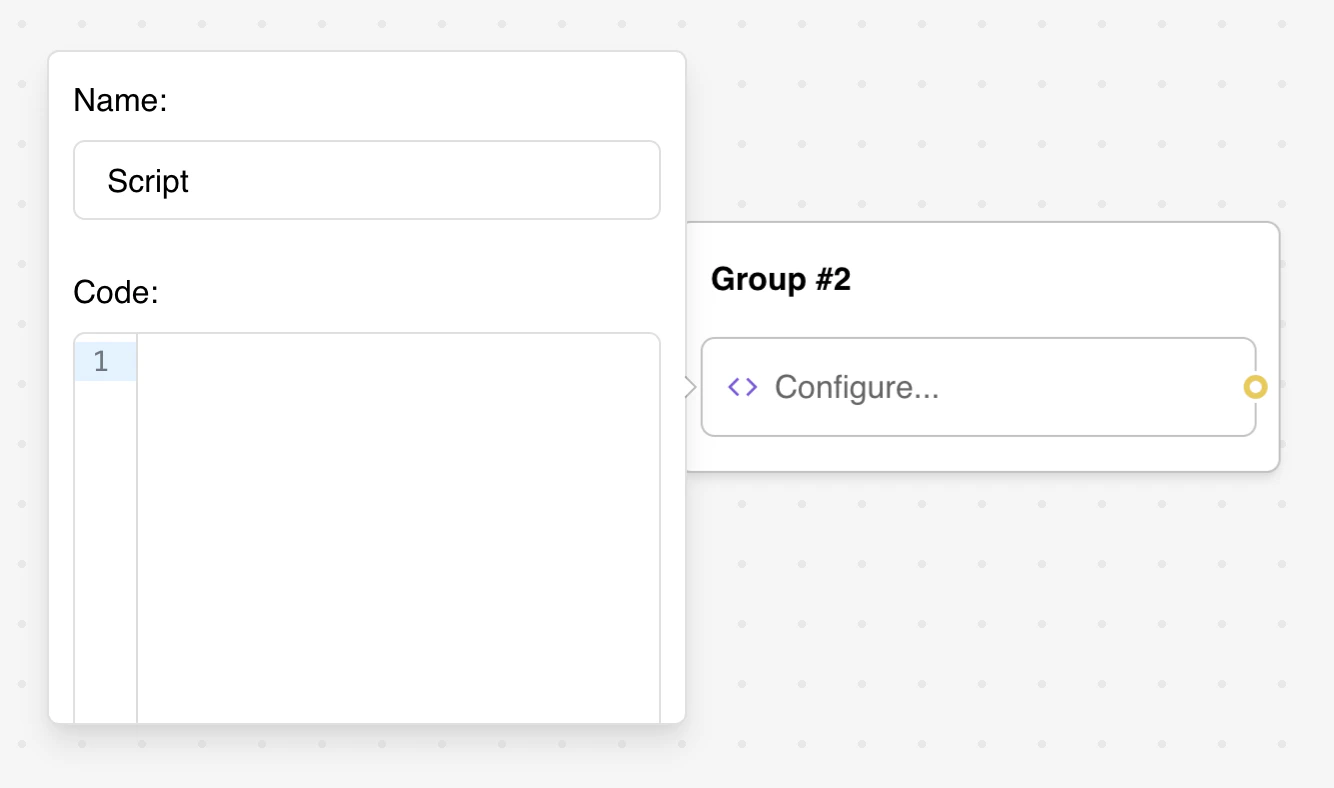 ## Configuration Options
### Script Name
* **Name Field**: Optional identifier for organizing and debugging scripts (default: "Script")
* **Purpose**: Helps identify scripts in flow diagrams and logs
### Code Editor
* **Full JavaScript Editor**: Syntax highlighting and multi-line support
* **Variable Integration**: Direct access to bot variables using `{{Variable Name}}` syntax
* **Variable Button**: Insert variables directly into your code
### Execution Environment
The "Execute on Client" toggle is a beta feature and only available in beta environments.
Choose where your script executes:
* **Client-side (Default)**: Code runs in the user's browser
* Full access to browser APIs (`window`, `document`, `navigator`, etc.)
* No access to `setVariable()` function
* Depends on user's browser capabilities
* Good for DOM manipulation, browser APIs, and client-side features
* **Server-side**: Code runs in a secure, isolated environment
* Access to `setVariable()` function for modifying bot variables
* Custom `fetch()` API for external HTTP requests
* No access to browser APIs
* Better for security-sensitive operations and API integrations
Variables in script are not parsed, they are evaluated. So it should be treated as if it were real javascript variables.
You need to write `console.log({{My variable}})` instead of `console.log("{{My variable}}")`
## Features
### Variable Management (Server-side Only)
The `setVariable()` function is **ONLY available in server-side execution**. It will not work when
the script runs on the client (default behavior).
Use the `setVariable()` function to modify bot variables programmatically when running server-side:
```js theme={null}
// This only works when "Execute on Client" is disabled (server-side)
if({{My variable}} === 'foo') {
setVariable('My variable', 'bar')
} else {
setVariable('My variable', 'other')
}
```
**How it works:**
* First parameter: Variable name (as a string, exactly as it appears in your bot)
* Second parameter: The new value to set
* The variable must already exist in your bot
### API Integration (Server-side)
Server-side scripts have access to a custom `fetch()` function. Client-side scripts can use the
standard browser `fetch()` API.
Make HTTP requests to external services:
**Server-side fetch:**
```js theme={null}
// Server-side fetch returns response body as a string directly
const data = await fetch('https://api.example.com/data')
const parsed = JSON.parse(data) // Parse JSON manually
// Set results in variables
setVariable('API Response', parsed.result)
```
**Client-side fetch:**
```js theme={null}
// Standard browser fetch API (default execution)
const response = await fetch('https://api.example.com/data')
const data = await response.json() // Standard response methods available
// Note: setVariable() is NOT available client-side
console.log(data.result)
```
### Conditional Logic
Implement complex business logic that's difficult to achieve with standard blocks:
```js theme={null}
// Complex conditional logic
const score = parseInt({{User Score}})
const category = {{User Category}}
if (score > 80 && category === 'premium') {
setVariable('Qualification', 'gold')
setVariable('Discount', 25)
} else if (score > 60) {
setVariable('Qualification', 'silver')
setVariable('Discount', 15)
} else {
setVariable('Qualification', 'bronze')
setVariable('Discount', 5)
}
```
## Advanced Features
### External API Calls
Integrate with third-party services and APIs:
```js theme={null}
// CRM integration example
const customerData = {
name: {{Customer Name}},
email: {{Customer Email}},
score: {{Lead Score}}
}
const response = await fetch('https://api.crm.com/leads', {
method: 'POST',
headers: {
'Content-Type': 'application/json',
'Authorization': 'Bearer YOUR_API_KEY'
},
body: JSON.stringify(customerData)
})
const result = JSON.parse(response)
setVariable('CRM Lead ID', result.id)
```
### Data Processing
Process and transform user data:
```js theme={null}
// Process array data
const responses = {{Survey Responses}} || []
const processed = responses
.filter(item => item.length > 0)
.map(item => item.toUpperCase())
.join(', ')
setVariable('Processed Responses', processed)
```
### Browser Interactions (Client-side Only)
Access browser APIs when running on the client (default execution):
```js theme={null}
// Get user's screen dimensions
const screenInfo = `${window.innerWidth}x${window.innerHeight}`
console.log('Screen size:', screenInfo)
// Detect dark mode preference
const isDarkMode = window.matchMedia('(prefers-color-scheme: dark)').matches
console.log('Dark mode:', isDarkMode)
// Access user's timezone
const timezone = Intl.DateTimeFormat().resolvedOptions().timeZone
console.log('Timezone:', timezone)
// Redirect to another page
if ({{User Status}} === 'premium') {
window.location.href = 'https://example.com/premium'
}
```
Client-side scripts cannot use `setVariable()`. To store values from client-side scripts, you'll
need to use other methods like displaying the value in a message or using browser storage APIs.
## Server-side Limitations
Because server scripts run in an isolated, secure environment:
### Unavailable APIs
* **Console Functions**: `console.log`, `setTimeout`, `setInterval` not available
* **Browser APIs**: No access to `window`, `document`, `localStorage`, etc.
* **Node.js Modules**: Cannot use `import` or `require` statements
* **Global Objects**: Limited global scope compared to browser environment
### Modified Fetch Behavior
The `fetch` function works differently on the server:
```js theme={null}
// ❌ Standard fetch pattern doesn't work
const response = await fetch('https://api.example.com/data')
const data = await response.json() // This will fail
// ✅ Simplified server-side fetch
const data = await fetch('https://api.example.com/data')
const parsed = JSON.parse(data) // Parse manually if JSON
```
Response is always returned as a string, even for JSON responses.
## Example Use Cases
### CRM Integration (Server-side)
```js theme={null}
// Server-side script - requires beta environment toggle
// Update CRM with form data
const leadData = {
name: {{Full Name}},
email: {{Email}},
phone: {{Phone Number}},
source: 'chatbot'
}
const response = await fetch('https://api.yourcrm.com/leads', {
method: 'POST',
headers: { 'Content-Type': 'application/json' },
body: JSON.stringify(leadData)
})
const result = JSON.parse(response)
setVariable('CRM Updated', result.success)
```
### Dynamic Pricing (Server-side)
```js theme={null}
// Server-side script - requires beta environment toggle
// Calculate dynamic pricing
const basePrice = 100
const userType = {{User Type}}
const volume = parseInt({{Order Volume}}) || 1
let discount = 0
if (userType === 'premium') discount = 0.2
else if (userType === 'standard') discount = 0.1
if (volume > 10) discount += 0.05
const finalPrice = basePrice * volume * (1 - discount)
setVariable('Final Price', finalPrice.toFixed(2))
```
### Browser Page Control (Client-side)
```js theme={null}
// Client-side script (default execution)
// Redirect based on conditions
if({{Category}} === 'qualified') {
window.location.href = 'https://my-site.com/qualified'
} else {
window.location.href = 'https://my-site.com/info'
}
```
## Troubleshooting
### Common Script Errors
* **Variable Access**: Ensure variables exist and contain expected data types
* **Syntax Errors**: Check JavaScript syntax and bracket matching
* **Async Issues**: Use await with Promise-based operations
* **Type Errors**: Validate variable types before processing
### Server-side Issues
* **Fetch Errors**: Remember server-side fetch returns strings directly
* **Missing Functions**: Global browser functions aren't available
* **API Timeouts**: Implement proper error handling for external calls
* **Memory Limits**: Keep scripts efficient to avoid timeout issues
### Client-side Issues
* **Browser Compatibility**: Test across different browsers and devices
* **Security Restrictions**: Some browsers block certain operations
* **Network Issues**: Handle offline scenarios gracefully
* **Mobile Limitations**: Consider mobile browser capabilities
### Performance Problems
* **Slow Execution**: Optimize loops and reduce API calls
* **Memory Usage**: Clean up variables and avoid memory leaks
* **Network Delays**: Implement reasonable timeouts for external calls
* **Error Recovery**: Provide fallbacks when scripts fail
## Configuration Options
### Script Name
* **Name Field**: Optional identifier for organizing and debugging scripts (default: "Script")
* **Purpose**: Helps identify scripts in flow diagrams and logs
### Code Editor
* **Full JavaScript Editor**: Syntax highlighting and multi-line support
* **Variable Integration**: Direct access to bot variables using `{{Variable Name}}` syntax
* **Variable Button**: Insert variables directly into your code
### Execution Environment
The "Execute on Client" toggle is a beta feature and only available in beta environments.
Choose where your script executes:
* **Client-side (Default)**: Code runs in the user's browser
* Full access to browser APIs (`window`, `document`, `navigator`, etc.)
* No access to `setVariable()` function
* Depends on user's browser capabilities
* Good for DOM manipulation, browser APIs, and client-side features
* **Server-side**: Code runs in a secure, isolated environment
* Access to `setVariable()` function for modifying bot variables
* Custom `fetch()` API for external HTTP requests
* No access to browser APIs
* Better for security-sensitive operations and API integrations
Variables in script are not parsed, they are evaluated. So it should be treated as if it were real javascript variables.
You need to write `console.log({{My variable}})` instead of `console.log("{{My variable}}")`
## Features
### Variable Management (Server-side Only)
The `setVariable()` function is **ONLY available in server-side execution**. It will not work when
the script runs on the client (default behavior).
Use the `setVariable()` function to modify bot variables programmatically when running server-side:
```js theme={null}
// This only works when "Execute on Client" is disabled (server-side)
if({{My variable}} === 'foo') {
setVariable('My variable', 'bar')
} else {
setVariable('My variable', 'other')
}
```
**How it works:**
* First parameter: Variable name (as a string, exactly as it appears in your bot)
* Second parameter: The new value to set
* The variable must already exist in your bot
### API Integration (Server-side)
Server-side scripts have access to a custom `fetch()` function. Client-side scripts can use the
standard browser `fetch()` API.
Make HTTP requests to external services:
**Server-side fetch:**
```js theme={null}
// Server-side fetch returns response body as a string directly
const data = await fetch('https://api.example.com/data')
const parsed = JSON.parse(data) // Parse JSON manually
// Set results in variables
setVariable('API Response', parsed.result)
```
**Client-side fetch:**
```js theme={null}
// Standard browser fetch API (default execution)
const response = await fetch('https://api.example.com/data')
const data = await response.json() // Standard response methods available
// Note: setVariable() is NOT available client-side
console.log(data.result)
```
### Conditional Logic
Implement complex business logic that's difficult to achieve with standard blocks:
```js theme={null}
// Complex conditional logic
const score = parseInt({{User Score}})
const category = {{User Category}}
if (score > 80 && category === 'premium') {
setVariable('Qualification', 'gold')
setVariable('Discount', 25)
} else if (score > 60) {
setVariable('Qualification', 'silver')
setVariable('Discount', 15)
} else {
setVariable('Qualification', 'bronze')
setVariable('Discount', 5)
}
```
## Advanced Features
### External API Calls
Integrate with third-party services and APIs:
```js theme={null}
// CRM integration example
const customerData = {
name: {{Customer Name}},
email: {{Customer Email}},
score: {{Lead Score}}
}
const response = await fetch('https://api.crm.com/leads', {
method: 'POST',
headers: {
'Content-Type': 'application/json',
'Authorization': 'Bearer YOUR_API_KEY'
},
body: JSON.stringify(customerData)
})
const result = JSON.parse(response)
setVariable('CRM Lead ID', result.id)
```
### Data Processing
Process and transform user data:
```js theme={null}
// Process array data
const responses = {{Survey Responses}} || []
const processed = responses
.filter(item => item.length > 0)
.map(item => item.toUpperCase())
.join(', ')
setVariable('Processed Responses', processed)
```
### Browser Interactions (Client-side Only)
Access browser APIs when running on the client (default execution):
```js theme={null}
// Get user's screen dimensions
const screenInfo = `${window.innerWidth}x${window.innerHeight}`
console.log('Screen size:', screenInfo)
// Detect dark mode preference
const isDarkMode = window.matchMedia('(prefers-color-scheme: dark)').matches
console.log('Dark mode:', isDarkMode)
// Access user's timezone
const timezone = Intl.DateTimeFormat().resolvedOptions().timeZone
console.log('Timezone:', timezone)
// Redirect to another page
if ({{User Status}} === 'premium') {
window.location.href = 'https://example.com/premium'
}
```
Client-side scripts cannot use `setVariable()`. To store values from client-side scripts, you'll
need to use other methods like displaying the value in a message or using browser storage APIs.
## Server-side Limitations
Because server scripts run in an isolated, secure environment:
### Unavailable APIs
* **Console Functions**: `console.log`, `setTimeout`, `setInterval` not available
* **Browser APIs**: No access to `window`, `document`, `localStorage`, etc.
* **Node.js Modules**: Cannot use `import` or `require` statements
* **Global Objects**: Limited global scope compared to browser environment
### Modified Fetch Behavior
The `fetch` function works differently on the server:
```js theme={null}
// ❌ Standard fetch pattern doesn't work
const response = await fetch('https://api.example.com/data')
const data = await response.json() // This will fail
// ✅ Simplified server-side fetch
const data = await fetch('https://api.example.com/data')
const parsed = JSON.parse(data) // Parse manually if JSON
```
Response is always returned as a string, even for JSON responses.
## Example Use Cases
### CRM Integration (Server-side)
```js theme={null}
// Server-side script - requires beta environment toggle
// Update CRM with form data
const leadData = {
name: {{Full Name}},
email: {{Email}},
phone: {{Phone Number}},
source: 'chatbot'
}
const response = await fetch('https://api.yourcrm.com/leads', {
method: 'POST',
headers: { 'Content-Type': 'application/json' },
body: JSON.stringify(leadData)
})
const result = JSON.parse(response)
setVariable('CRM Updated', result.success)
```
### Dynamic Pricing (Server-side)
```js theme={null}
// Server-side script - requires beta environment toggle
// Calculate dynamic pricing
const basePrice = 100
const userType = {{User Type}}
const volume = parseInt({{Order Volume}}) || 1
let discount = 0
if (userType === 'premium') discount = 0.2
else if (userType === 'standard') discount = 0.1
if (volume > 10) discount += 0.05
const finalPrice = basePrice * volume * (1 - discount)
setVariable('Final Price', finalPrice.toFixed(2))
```
### Browser Page Control (Client-side)
```js theme={null}
// Client-side script (default execution)
// Redirect based on conditions
if({{Category}} === 'qualified') {
window.location.href = 'https://my-site.com/qualified'
} else {
window.location.href = 'https://my-site.com/info'
}
```
## Troubleshooting
### Common Script Errors
* **Variable Access**: Ensure variables exist and contain expected data types
* **Syntax Errors**: Check JavaScript syntax and bracket matching
* **Async Issues**: Use await with Promise-based operations
* **Type Errors**: Validate variable types before processing
### Server-side Issues
* **Fetch Errors**: Remember server-side fetch returns strings directly
* **Missing Functions**: Global browser functions aren't available
* **API Timeouts**: Implement proper error handling for external calls
* **Memory Limits**: Keep scripts efficient to avoid timeout issues
### Client-side Issues
* **Browser Compatibility**: Test across different browsers and devices
* **Security Restrictions**: Some browsers block certain operations
* **Network Issues**: Handle offline scenarios gracefully
* **Mobile Limitations**: Consider mobile browser capabilities
### Performance Problems
* **Slow Execution**: Optimize loops and reduce API calls
* **Memory Usage**: Clean up variables and avoid memory leaks
* **Network Delays**: Implement reasonable timeouts for external calls
* **Error Recovery**: Provide fallbacks when scripts fail