

Your Bot’s URL
Here, you can customize the bot’s ID. For example, if you set it tomy-awesome-bot, your bot’s URL
will become https://viewer.dev.quick.bot/my-awesome-bot.
Custom Domain
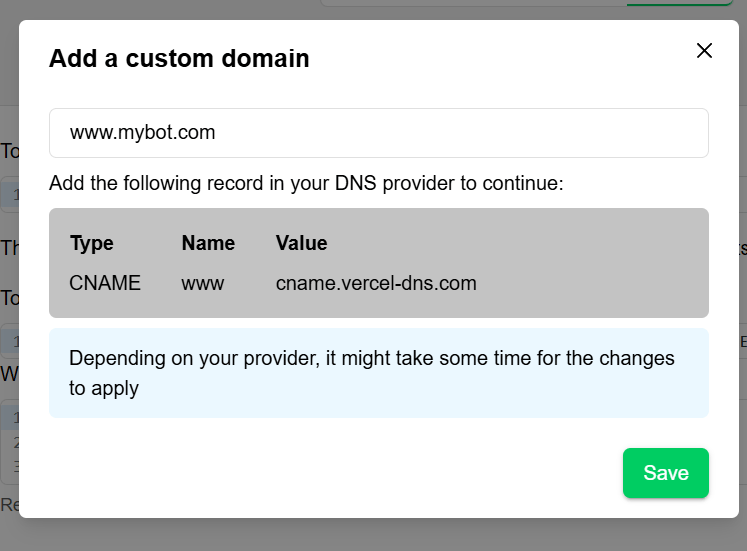
If you have your own domain, you can use it as your bot’s URL.- Click in add my domain and then + New Domain.
- Add your domain and copy the generated record.
- In your DNS Provider paste the generated record for your domain.
Publishing features may be restricted based on your plan:
- Custom domains: Paid plans only
- Embed customization: Advanced on higher tiers
- WhatsApp integration: Enterprise plans