

This is a paid feature available in the Pro plan and above.
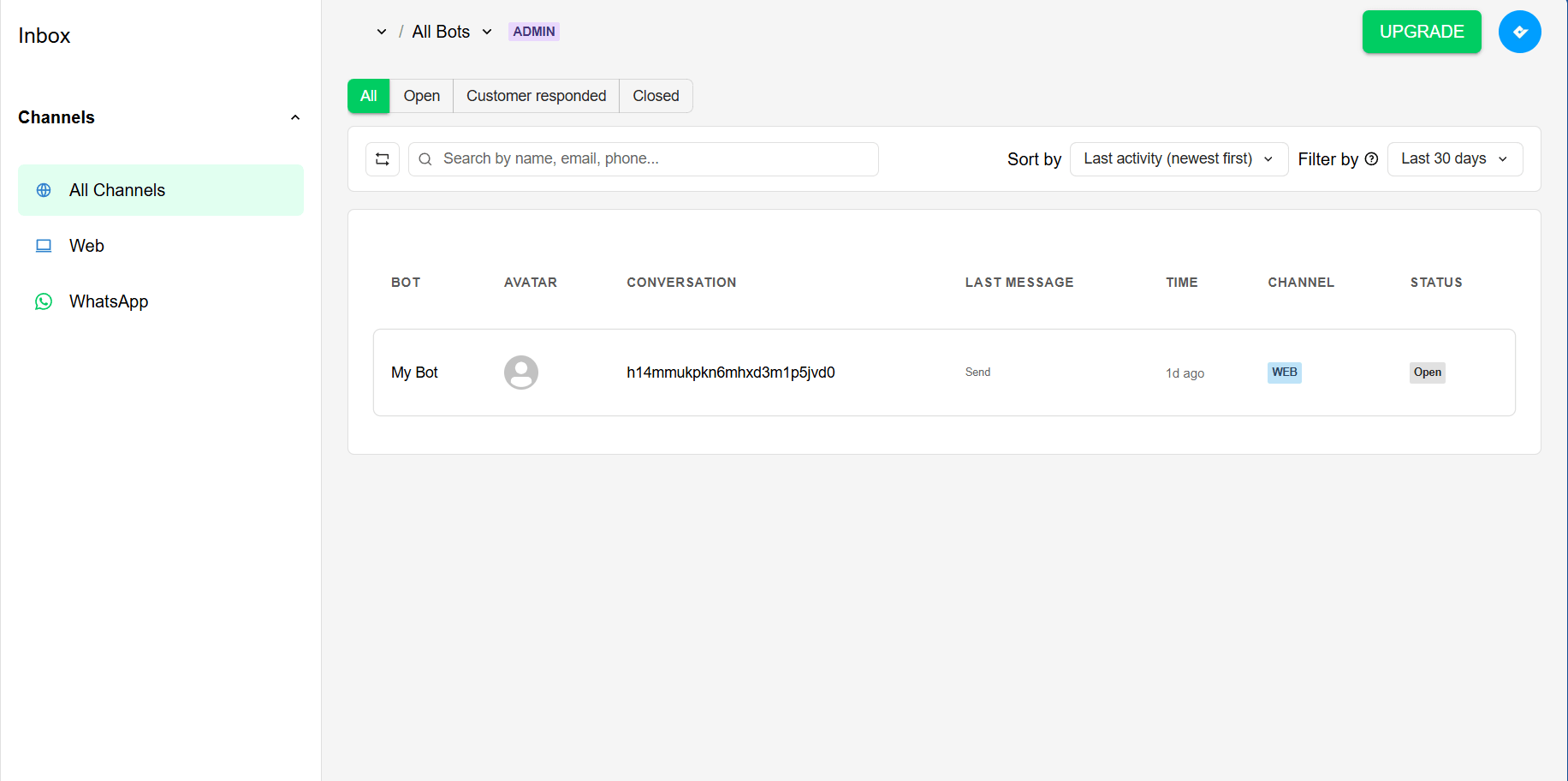
- Bot: the bot name.
- Avatar: The customer’s avatar.
- Conversation: the conversation ID.
- Last message: The content of the last message in the conversation.
- Time: The timestamp of the last message.
- Channel: The channel through which the message was received (web or whatsapp).
- Status: The status of the conversation (customer response, open, closed).
Channels
The inbox currently supports two channels: web and WhatsApp. You can filter the conversations by channel using the filter options.Viewing a conversation
Clicking on the row of a conversation will open the conversation view, where you can see the full history of messages.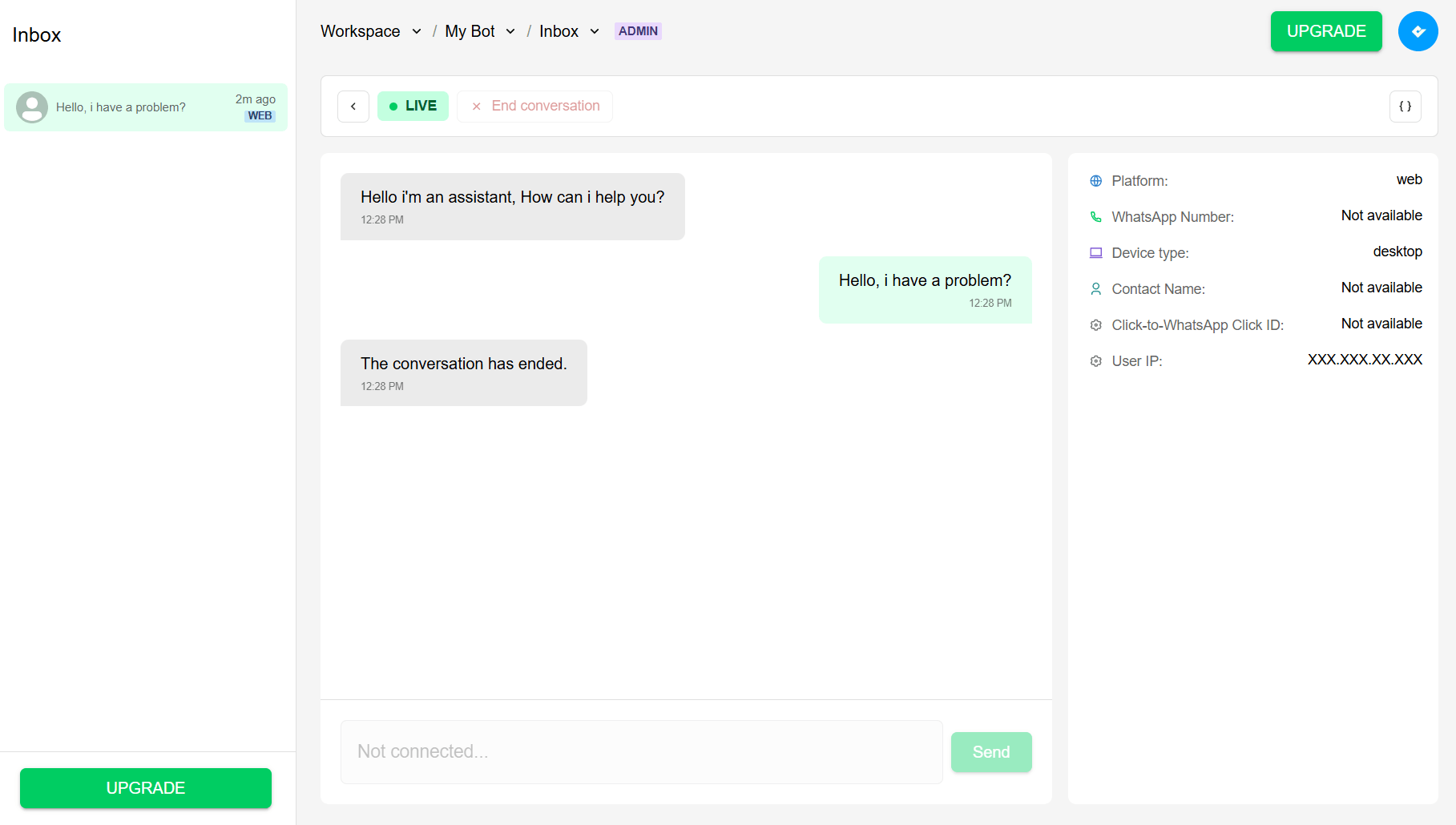
- Platform: the platform through which the message was received (web or whatsapp).
- Contact Phone: the phone number of the customer if it’s provided (auto-filled on whatsapp conversations).
- Device type: the type of device used by the customer (only for web conversations).
- Contact Name: the name of the customer if it’s provided (auto-filled on whatsapp conversations).
- Contact Email: the email address of the customer if the flow asked for it.
- Click-to-WhatsApp Click ID: the click ID of the customer if it’s provided (only for whatsapp conversations).
-
User IP: the IP address of the customer if it’s provided (only for web conversations).
Human Handoff
Elevate your customer support with human handoff. Learn what this poweful feature offers and how to use it in your bots.